
You can also view the cash advances you approved and, depending on your profile, all those requested in the company.
For more information on how to request cash advances, refer to the following guide.
Create Cash Advance Request
Cash Advance History: Go to Cash Advance and Expense Report > Cash Advances > Cash Advance History.
From this screen you will see all your requests with their respective statuses.
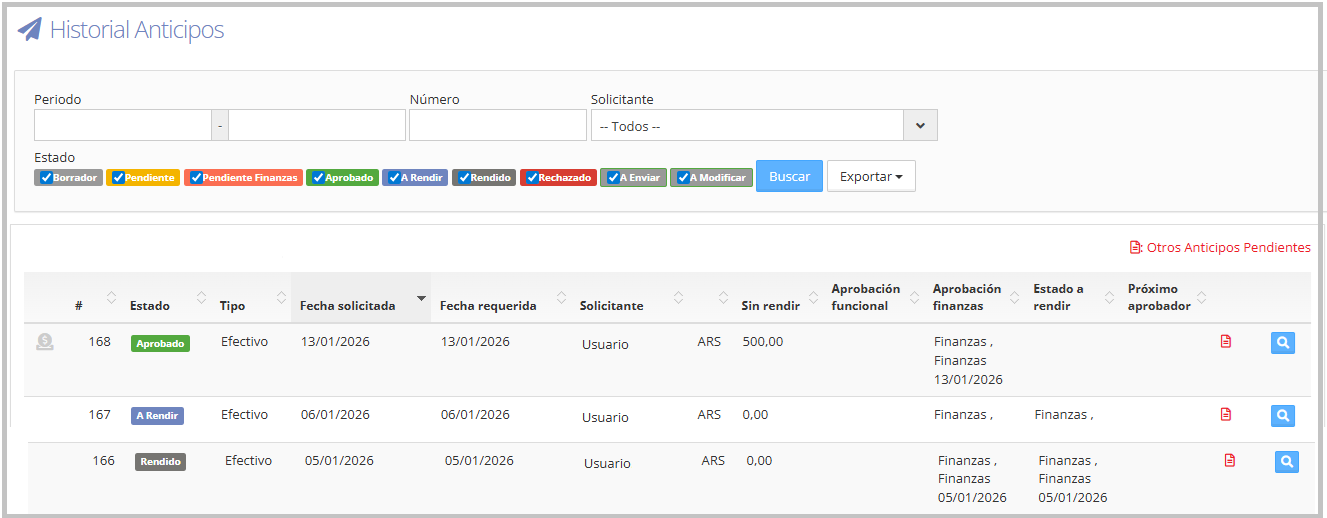
To learn more about statuses, refer to the corresponding guide. Statuses
When the cash advance is ready for withdrawal, the requesting user will receive an email notification and an alert within T&E Express (the notification bell). In the cash advance history, the icon will be displayed in blue and, when hovering over it, it will indicate that the cash advance is pending withdrawal.
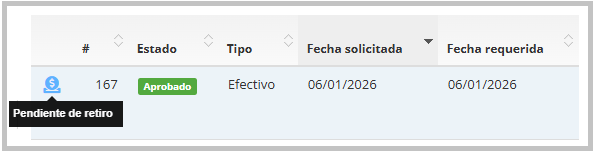
Some companies may not use the "cash preparation" icon. In these cases, the status To report indicates that the cash advance has already been approved and is ready to be handed to the user.