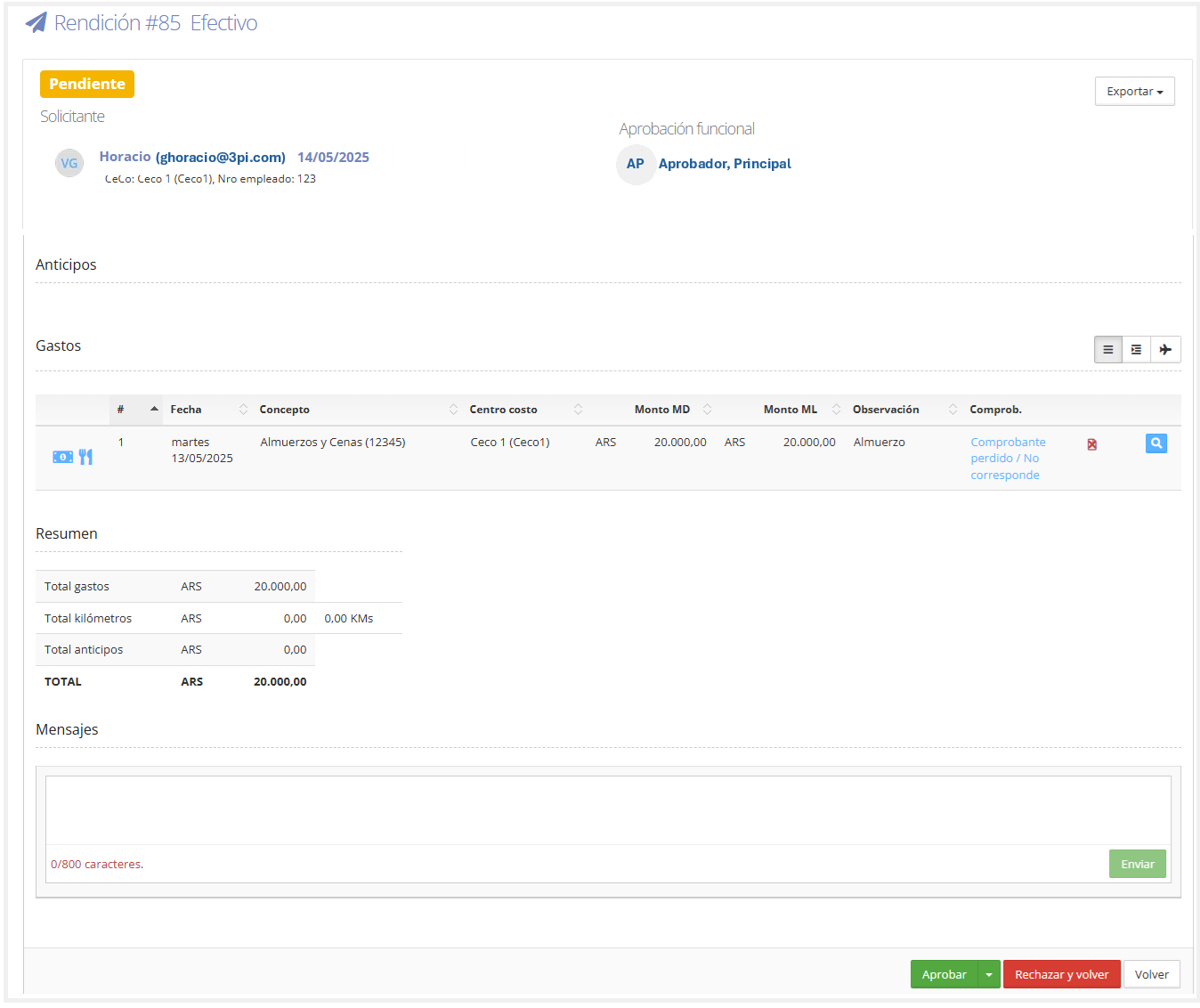
This section allows users with an approver role to approve or reject expense reports submitted by users.
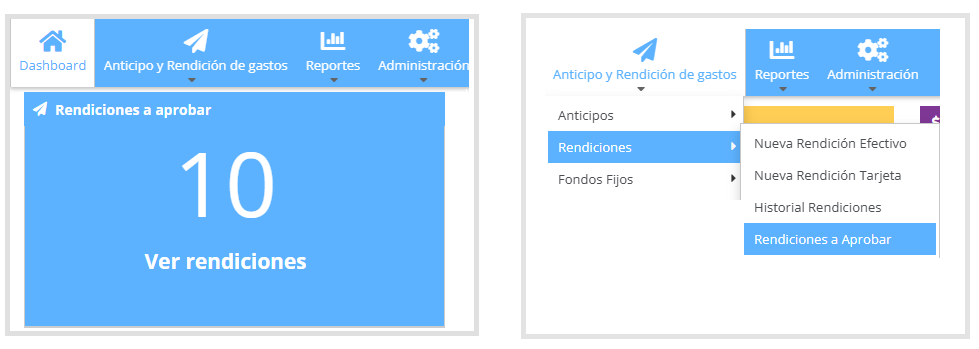
Approve Expense Reports: To access expense reports pending approval, you can go to the Expense Reports to Approve panel on the dashboard, or from the menu Travel & Expenses "T&E" > Expense Reports > Expense Reports to Approve.
As shown in the image below.
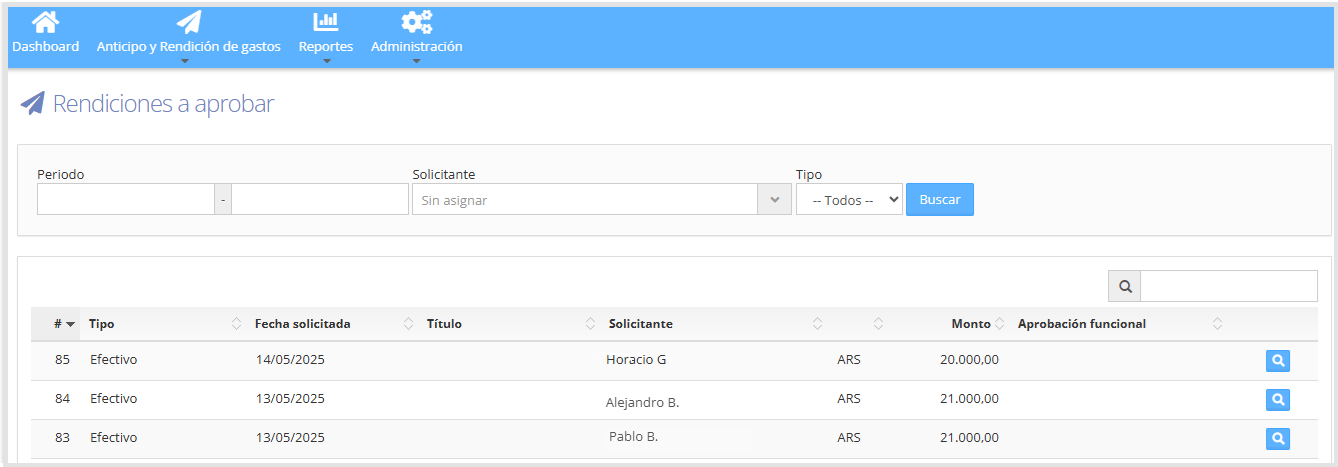
Expense reports pending approval appear as a list.
As shown in the image below:
To view the expense report details, click on the icon

From here you can add a message, approve or reject the expense report. If rejected, the reason must be justified.