Every time Finance approves a cash advance or an expense report, T&E Express sends an automatic email with the main details of what was approved, so you have the information without needing to log in to the system.
Who receives this email?
The email is sent to the company’s general email addresses configured in General Settings, in the field “When Finance approves, send email to (separate with ; if more than one)”. One or more addresses can be added, and the email is sent to all of them.
Only users with the Administrator profile can add or modify these addresses.
If no addresses are configured, no email is sent.
For more information about this setting, see the General Preferences
What information do you receive?
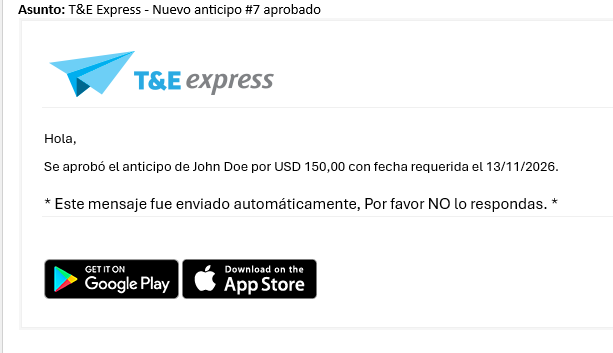
When a cash advance is approved, the email shows:
the cash advance number
the user who requested it
the approved amount
the required date
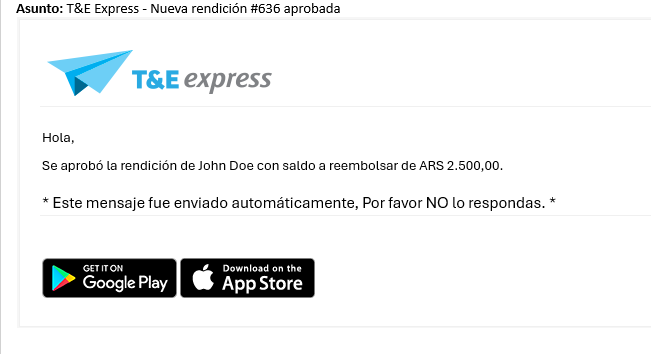
When an expense report is approved, the email shows:
the expense report number,
the user who submitted it,
the balance to be reimbursed, that is, the amount the company must pay the user for the reported expenses.
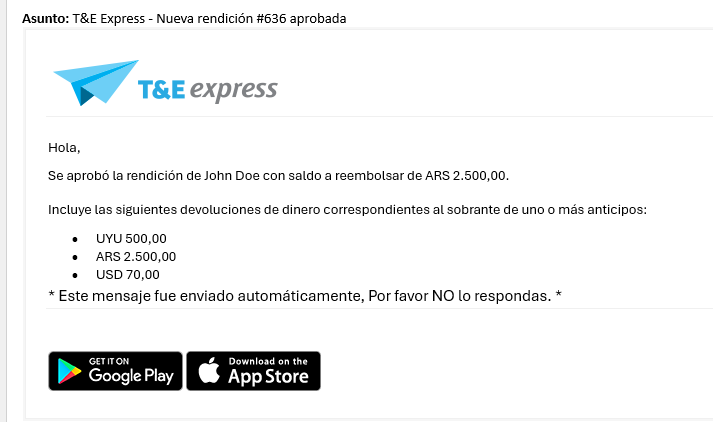
Also, if the expense report includes refunds of money left over from the user’s cash advances, the email shows how much was returned in each currency.