
The users responsible for performing this action are those with the Finance, Treasury, or Administrator profile.
Increase or Decrease Petty Cash: To access Increase or Decrease Petty Cash, go to Administration > Petty Cash > Increase / Decrease.
Upon entering, you'll see the following screen, with the available petty cash funds.
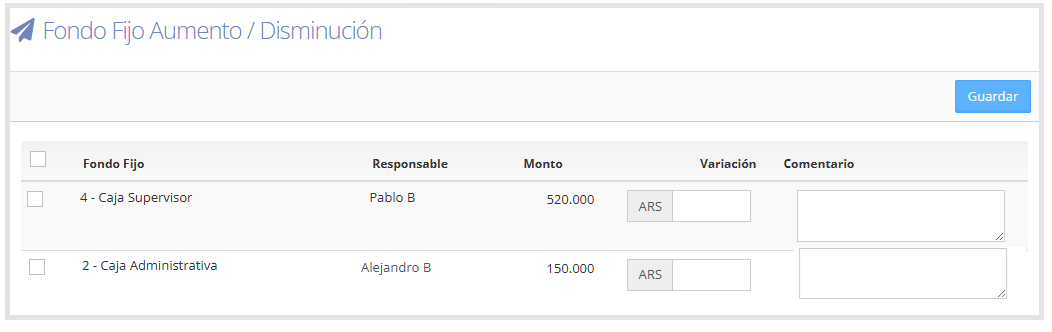
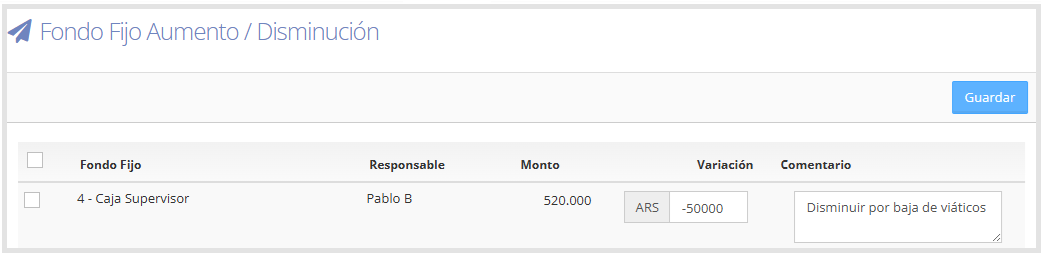
In the Variation field, enter the amount to increase (positive) or decrease (negative).
In the Comment field, detail the reason for the change.
As shown below.
If you want to make a bulk modification, you can select more than one petty cash fund.
To select all, use the checkbox at the top left of the table.
For a specific selection, check the boxes to the left of each petty cash fund.
Once you select at least one, new fields are enabled at the top of the screen:
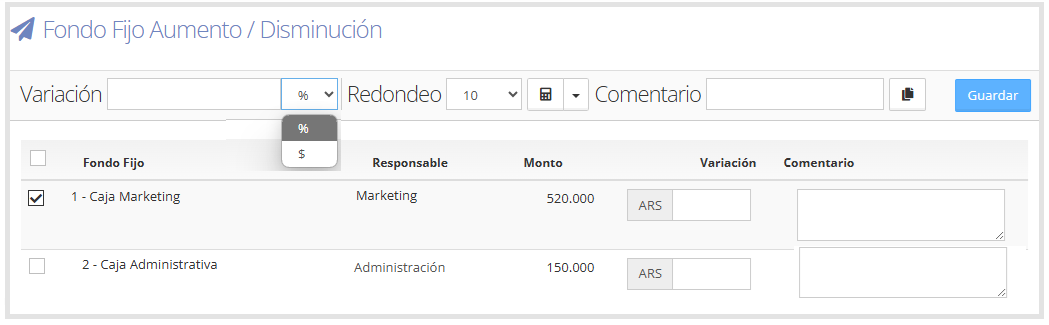
You can complete:
Variation: enter an amount ($) or percentage (%), depending on the adjustment you want to apply.
Rounding type: if you want to round the results.
Comment: indicate the reason for the change. If you want to apply the same comment to all petty cash funds, use the button

to automatically copy it to each row.
As shown below.
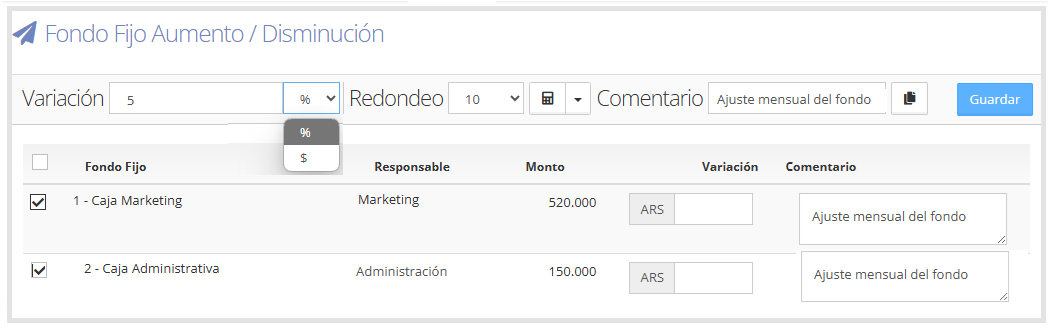
Once all fields are completed, click "Save" to confirm the modification.
For more information on how to create a petty cash fund, go to the corresponding guide: Petty Cash.