
Depending on how T&E Express is configured for each company, cash advances move to "To Report" status automatically or must be changed manually. Below is how to do it manually.
The Finance user is responsible for changing approved cash advances to "To Report" status, so they're available in T&E Express and can be reported.
Cash Advance History: Go to Cash Advances and Expense Reports > Cash Advances > Cash Advance History.
This section will show the approved cash advances, as shown in the following image:
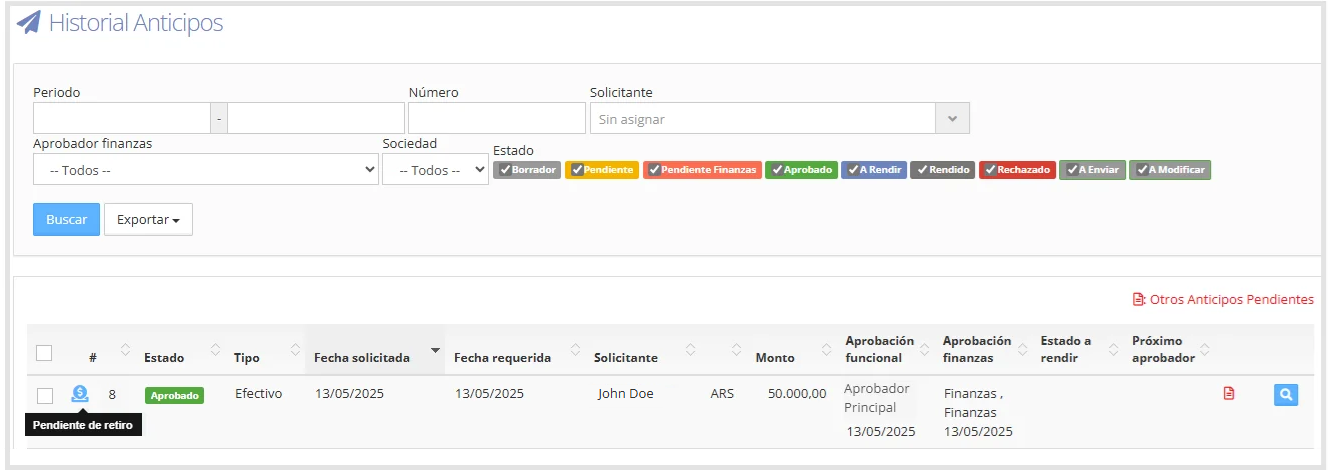
At the beginning of each row in the history, an icon is shown reflecting the cash advance's fund preparation status (Preparing Funds, Pending Withdrawal, or Paid). For more information about this feature, go to the following guide: Fund Preparation and Pending Withdrawal.
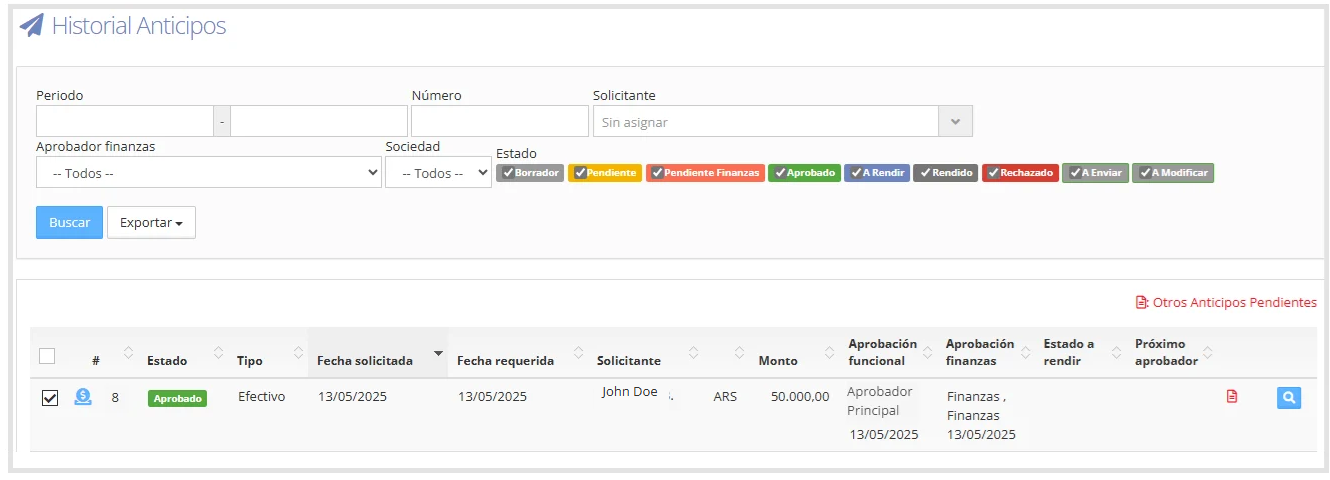
Move to "To Report": Check the box for the cash advance(s) you want to change to "To Report" status, as shown in the following image:
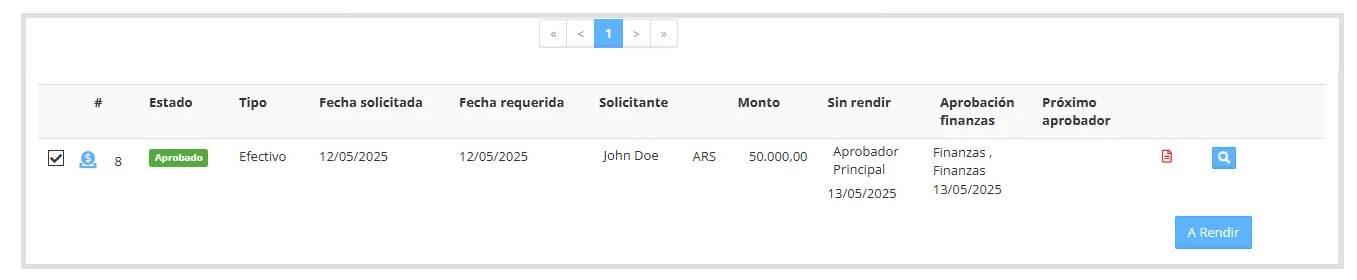
At the end of the screen, after the pager, the selected cash advances are shown, along with the "To Report" button.
Once a cash advance has been marked as "To Report" in the Cash Advance History, its status will update and show "To Report", as shown in the following image:
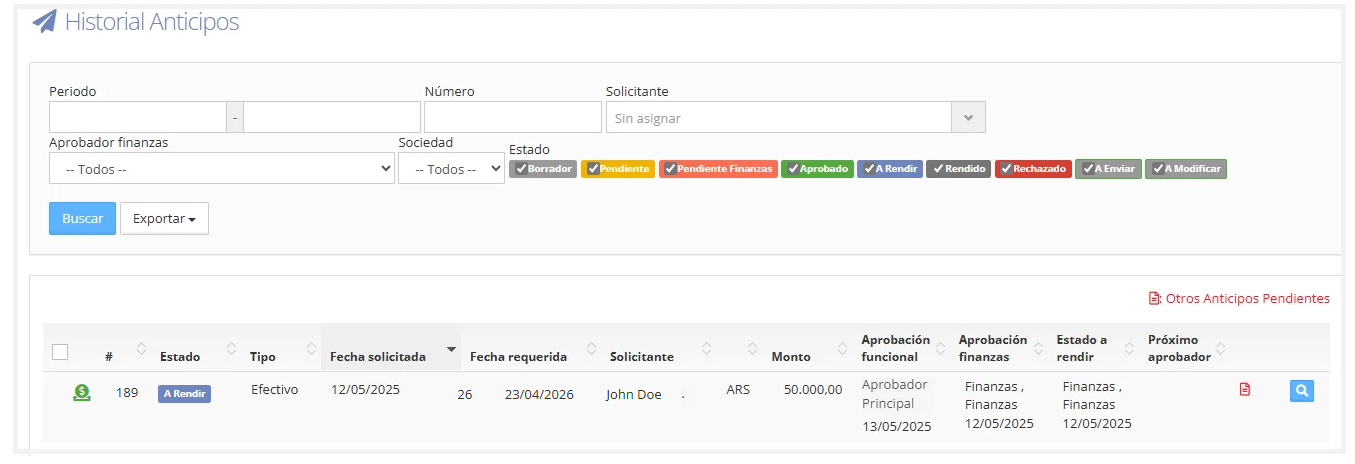
Note: Once the cash advance is in "To Report" status, the user will receive a notification letting them know they can now create the expense report.