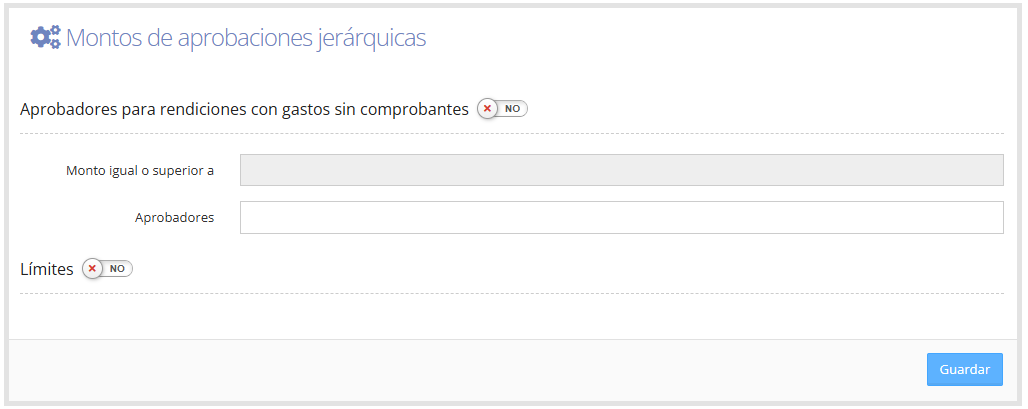
Amounts Hierarchical Approvals: To access Amounts Hierarchical Approvals, go to Admin > Amounts Hierarchical Approvals.
When you enter, you'll see the following screen, where you need to enable options and assign approvers, as shown below.
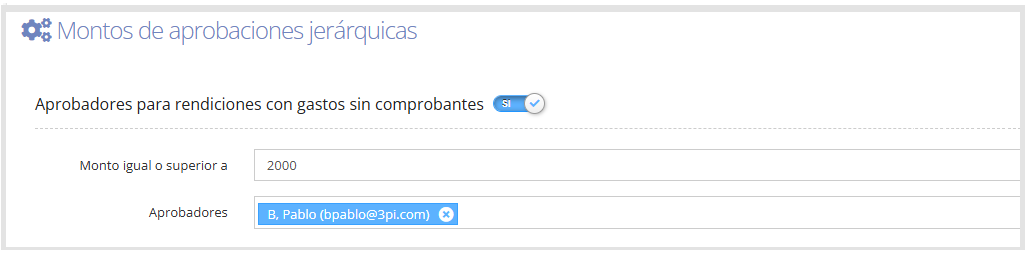
Approvers for expense reports with expenses without receipts: Enabling the "Amount equal to or greater than" field defines the amount that the sum of expenses without receipts must exceed.
In the "Approvers" field, select the people who will approve, as shown in the image below.
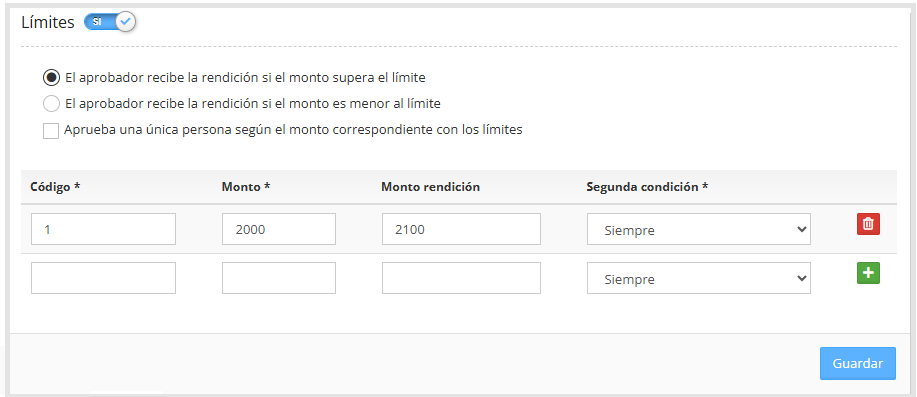
Limits: If enabled, this activates the configuration of hierarchical approval rules based on amounts and specific conditions, as shown in the image below (if this feature isn't enabled, request it from T&E Express).
For more information about the hierarchical approval process and its assignment, see the guide Users.
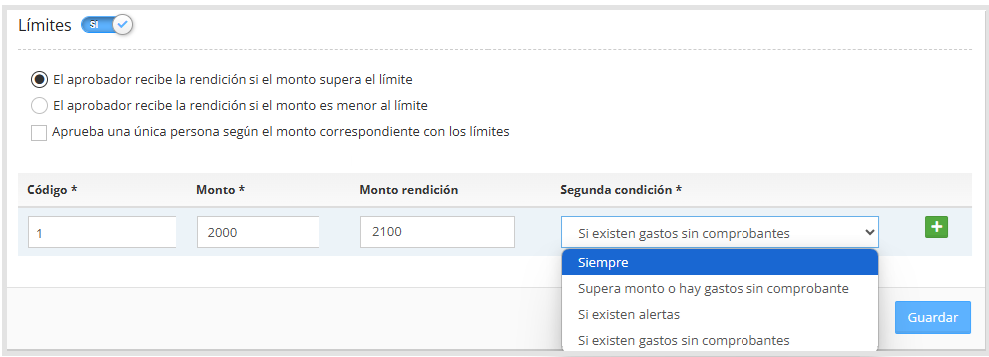
In the upper left corner, we have the following options for configuring the next approvers:
The approver receives the expense report if the amount exceeds the limit: The approver must approve if the total amount of the expense report or cash advance is greater than the configured limit.
The approver receives the expense report if the amount is less than the limit: The approver must approve if the total amount of the expense report or cash advance is lower than the configured limit.
Only one person approves based on the amount matching the limits: When active, only the person with the highest hierarchical rank for the corresponding amount will approve.
In the box below, we have the following options:
Code: Identifier for the rule.
Amount: The approval amount that will be compared against the amount of the expense report or cash advance.
Expense report amount: If the approval amounts are different for cash advances and expense reports, fill in this field with the amount that corresponds to the expense report. The amount configured above will then apply only to the cash advance.
Second condition: We have a selector with several options, detailed below.
Always: The rule will always apply.
Exceeds amount or has expenses without a receipt: Applies if at least one of these two conditions is met: the cash advance or expense report exceeds the configured amount, or the expense report has expenses without receipts.
If there are alerts: This option is used to trigger approval when the expense report has an alert for exceeding the daily limit.
If there are expenses without receipts: Approval is triggered when there are expenses without receipts.
Once the values are entered in the fields, click the button

to add the rule, and then click "Save", as shown below.